Imagine this. A customer fills out the form on your website on Monday morning. The message lands in a shared inbox. Someone copies it into a spreadsheet on Tuesday. By Thursday, nobody remembers who was supposed to call. On Friday, the customer signs with your competitor.
Sound familiar?
This is one of the most common (and most expensive) problems for growing businesses. Sales are going up, but your tools are not keeping up. Your website looks fine, but it does not talk to the rest of your business. Your team works hard, but a lot of that effort goes into fixing small gaps.
If this feels close to home, you might be asking: is it time for a custom CRM and website?
In this guide, you will learn what a custom CRM and website really are, the clear signs that you need one, how much it can cost, and how to plan it step by step. Everything is explained in simple language, so you can make a confident decision.
Quick Answer: Is It Time for a Custom CRM and Website?
Yes, if you are managing customers in spreadsheets, losing leads, repeating manual work, or your website brings visitors but not enquiries. A custom CRM and website built to work together gives you one place to capture leads, track customers, automate follow-ups, and see your growth clearly.
Not yet, if you are just starting out, have very few customers, and a simple off-the-shelf tool already covers your needs.
Read on to find out where your business stands.
What Is a Custom CRM and Website (and How Do They Work Together)?
Let us keep the definitions simple.
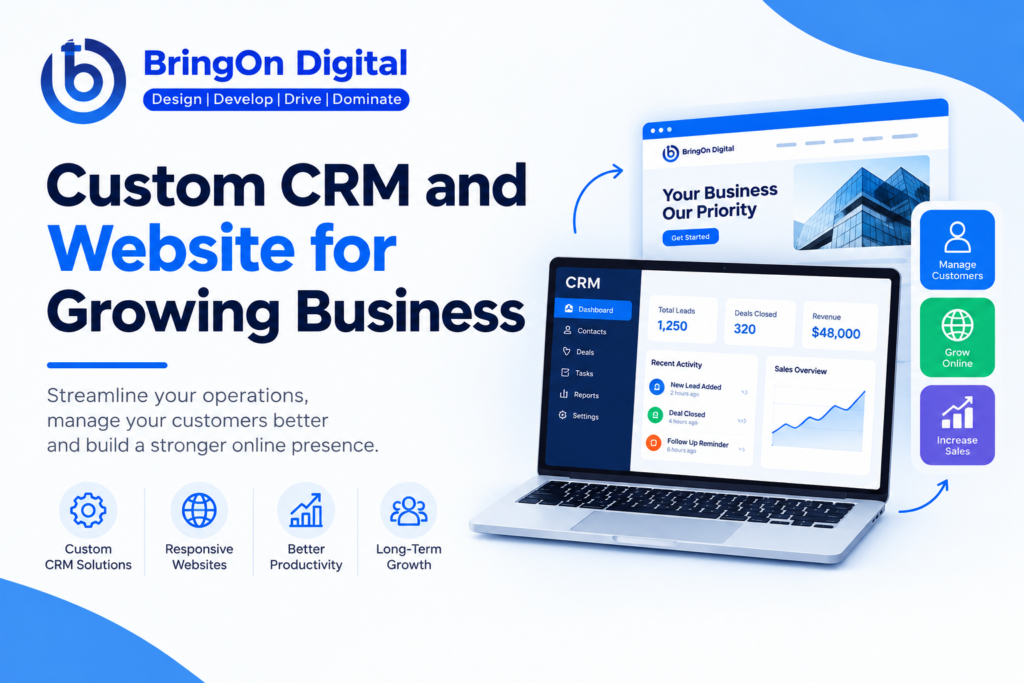
A CRM (Customer Relationship Management) system is software that stores all your customer information in one place. It tracks who your leads are, what they asked for, what you promised, and what should happen next. Think of it as your business’s memory.
A custom CRM is built around the way your business works. Instead of changing your process to fit the software, the software fits your process. You choose the fields, the sales stages, the reports, and the automation.
A custom business website is designed and built for your brand and your goals. It is not a generic template. Its job is to attract the right visitors and turn them into enquiries, bookings, or sales.
Why They Work Best Together
When the website and CRM are connected, the flow becomes smooth:
- A visitor lands on your website.
- They fill out a form or book a call.
- Their details go straight into the CRM.
- The right team member is notified automatically.
- Follow-up emails or reminders are sent on time.
- You can see the full journey in one dashboard.
No copying, no pasting, no forgotten leads.
7 Signs It’s Time for a Custom CRM and Website
How do you know it is the right moment? Check how many of these sound like your business.
1. You manage customers in spreadsheets or many disconnected tools. Spreadsheets are great at the start. But as your customer list grows, they become messy, hard to share, and easy to break.
2. Leads slip through the cracks. If follow-ups depend on someone remembering, some will be missed. Every missed lead is lost revenue.
3. Your website looks outdated or does not bring enquiries. A slow, old, or confusing website makes visitors leave. People judge your business within seconds.
4. Off-the-shelf tools do not match your workflow. If you keep using workarounds or paying for features you never use, the tool is not right for you.
5. Your team wastes time on repeat tasks. Sending the same emails, updating the same records, and creating the same reports by hand are all signs that automation is needed.
6. You cannot get clear sales reports. If you cannot quickly answer “How many leads did we get this month, and how many became customers?”, you are making decisions in the dark.
7. Growth is making things harder, not easier. More customers should mean more profit, not more chaos. If your current setup feels slow or stressful, it is time to upgrade.
Quick Self-Check
| Number of signs that match | What it means |
| 0 to 2 | Your current setup may still be fine. Keep an eye on growth. |
| 3 to 4 | You are close to outgrowing your tools. Start planning now. |
| 5 to 7 | A custom CRM and website will likely save you time and money. |
Custom vs. Off-the-Shelf CRM and Website Solutions
Before you decide, it helps to compare both options honestly.
| Factor | Custom Solution | Off-the-Shelf Solution |
| Upfront cost | Higher | Lower (often monthly plans) |
| Long-term cost | Can be lower, no per-user fees in many cases | Grows as users and features increase |
| Flexibility | Built exactly for your process | Limited to what the tool offers |
| Scalability | Grows with your business | May hit limits or need costly upgrades |
| Ownership | You own the system and data | You rent access |
| Integrations | Connect anything you need | Limited to supported apps |
| Setup time | Longer | Quick to start |
| Branding | Fully yours | Often shows the vendor’s branding |
When Off-the-Shelf Is Enough
A ready-made CRM and a template website can work well if you are a very small team, your process is simple, and you want to start fast on a small budget. There is no shame in that. Many businesses begin this way.
When Custom Makes More Sense
Custom is a better choice when your process is unique, you have a growing team, you handle many leads, or you want your website and CRM to work as one system.
Key Benefits of a Custom CRM and Website for Growing Businesses
Smoother lead capture and tracking. Every enquiry from your website goes straight into your CRM. Nothing gets lost.
Automation that saves hours. Automatic reminders, welcome emails, task assignment, and status updates free your team to focus on selling and serving customers.
A better customer experience. Customers get faster replies and more personal service because your team has the full history in front of them.
Room to grow. You can add new features, users, and integrations as your business expands, without starting over.
All your data in one place. Sales, leads, customer details, and reports live together. You see what is working and what is not.
A stronger brand. A professional, fast, well-designed website builds trust. A smooth process behind it keeps customers happy.
Must-Have Features to Look For
Not every feature is needed on day one. Here is a simple checklist to guide you.
| Area | Essential Features |
| CRM | Contact management, sales pipeline, task and follow-up reminders, email and message automation, reports and dashboards, role-based access for team members |
| Website | Mobile-friendly design, fast loading speed, SEO-ready structure, clear lead forms and calls to action, direct CRM integration, strong security |
| Integrations | Email, WhatsApp or SMS, payment gateways, accounting software, calendar and booking tools |
Tip: Start with the features that solve your biggest pain points. You can add more later.
How Much Does a Custom CRM and Website Cost?
This is the question everyone asks, and the honest answer is: it depends. Prices vary by country, team, and project size, so treat any number as a rough guide and always ask for a written quote.
What Affects the Cost?
- Number and complexity of features
- Number of user roles and permissions
- Integrations with other tools
- Design requirements (simple or fully custom)
- Data migration from your old system
- Who builds it (freelancer, agency, or in-house team)
Rough Budget Levels
| Project Level | What You Usually Get | Budget Approach |
| Starter | Simple CRM with core features and a clean business website | Lowest range, good for small teams |
| Growth | Automation, reports, several integrations, custom website design | Mid range, best fit for most growing businesses |
| Advanced | Complex workflows, multiple departments, custom apps, high security | Highest range, for larger or specialized needs |
One-Time Build vs. Ongoing Costs
Remember to plan for hosting, security updates, support, and improvements after launch. Many businesses set aside a small yearly percentage of the build cost for maintenance.
How to Think About ROI
Do not only ask “What does it cost?” Also ask:
- How many hours will we save each week?
- How many more leads can we convert with faster follow-up?
- How much are we losing right now from missed opportunities?
If the savings and extra sales are larger than the cost over time, the investment makes sense.
How to Plan Your Custom CRM and Website (Step by Step)
Step 1: Define your goals and pain points. Write down what is not working today. Examples: lost leads, slow reporting, too much manual work.
Step 2: Map your sales and customer process. Draw how a customer moves from first contact to final sale and after-sales support.
Step 3: List and prioritize features. Split them into “must have,” “nice to have,” and “later.”
Step 4: Choose the right development partner. Look for someone who understands your industry and communicates clearly.
Step 5: Build, test, and launch. Ask for a phased plan. Test with a small group of real users before launching to everyone.
Step 6: Train your team. Even the best system fails if people do not use it. Offer simple training and guides.
Step 7: Review and improve. Check results after 30, 60, and 90 days. Add improvements based on real feedback.
Common Mistakes to Avoid
| Mistake | Why It Hurts | Better Approach |
| Building too many features at once | Raises cost, delays launch, confuses users | Start small, then expand |
| Keeping the CRM and website separate | Leads still need manual entry | Connect them from day one |
| Ignoring team training | Low adoption, wasted investment | Plan training before launch |
| Not planning for growth | System becomes outdated quickly | Choose flexible, scalable technology |
| Picking the cheapest developer only | Poor quality, hidden costs later | Compare experience, reviews, and support |
How to Choose the Right Development Partner
Your partner can make or break the project. Before you sign, ask:
- Have you built similar CRM and website projects? Can I see examples?
- Who will own the code, data, and design after launch?
- What does the timeline look like, and how will you share progress?
- How do you handle security and data backups?
- What support and maintenance do you offer after launch?
Also, check reviews and case studies, and speak to past clients if you can. A good partner will explain things in plain language and focus on your business goals, not just technology.
Frequently Asked Questions
How long does it take to build a custom CRM and website?
A simple project can take a few weeks. A more detailed one with automation and integrations can take a few months. A clear plan and quick feedback from your side help speed things up.
Is a custom CRM worth it for a small business?
It can be, especially if your process is unique or you are growing fast. If your needs are simple, a ready-made tool may be enough for now. Many small businesses start with a basic custom version and grow it over time.
Can I connect my existing tools?
Usually yes. A custom system can be built to connect with your email, accounting, payment, and messaging tools. Share your tool list with your developer early.
Who owns the software and data?
This should be written in your contract. In most custom projects, the business owns the system and its data. Always confirm this before starting.
Can the system grow with my business?
Yes. This is one of the biggest advantages. A well-built custom system can add new users, features, and integrations as you grow.
Conclusion: Make Your Next Step a Smart One
Growing a business is exciting, but only if your tools grow with you. If you are losing leads, wasting time on manual work, or feeling stuck with a website that does not perform, a custom CRM and website could be the upgrade that changes everything.
The best time to build is not when everything breaks. It is when you notice the first cracks.
To recap:
- Look for the 7 signs and check how many match your business.
- Compare custom and off-the-shelf options honestly.
- Start with the most important features, and plan for growth.
- Choose a partner who listens and supports you after launch.
Ready to find out what a custom CRM and website could do for your business? Book a free consultation today and get a clear plan, timeline, and budget tailored to your needs.
👉 Get your custom CRM and website built by the experts at Bringon.in. Book Your Free Consultation Now